

Showing posts with label ENL. Show all posts
Showing posts with label ENL. Show all posts
Sunday, May 11, 2014
Home Stretch
Here we are in the middle-ish of May. The home stretch of the school year is in sight. The countdown has begun. May is such a busy month at school. LAS Links results are returned this week on the 15th. I can't help but feel a little nervous and excited to see how my students have done this year. We are looking for improvement and growth. Later this month I will meet with teachers to discuss LAS Links results and who will need additional targeted intervention for next year. The best part is sharing the results with students. They have been asking me about it since we created our Lego characters to go with the island or ship levels. **I am sure that made no sense whatsoever. Check out the picture below :D.** They are eager to see how they did as well. I am planning a little pirate themed reveal party for them at the end of the month. Much treasure to be had by all!


Monday, April 28, 2014
ISTEP Round #2
Today we started round two of ISTEP: Multiple Choice. Everything on the computers went well this morning. Thankfully we did not have a repeat of last year. That was a nightmare! I am happy that things went smoothly and we got Session 1 Math done without any problems. I hope that the internet does not have any hiccups the rest of the testing window and that headphones and mice work properly.
The weeks and months before testing have been busy getting ready to take this test. We practiced reading fiction and nonfiction. Students reviewed strategies and had to explain what strategy to use when. We asked and answered questions, and had some very interesting discussions. We looked at vocabulary and context clues, as well as reviewed some basic math. When it is all said and done, student achievement comes down to how they do on those few tests. It is out of the teacher's hands at this point and we can just trust that we have prepared our students as best we can.
In two short weeks, we will receive our LAS Links test scores. I am excited to see how my kiddos did! I am planning a reveal and celebration party for them. It is going to be ... pirate themed! Lots of fun :)
What do you do to prepare your students for test time? Do you have a celebration after the testing is over?
Friday, April 11, 2014
Everything English
Here is the link to my latest project for CEP 815: Technology & Leadership. It is my manifesto - all the resources and information I use to help me be successful as an English Language teacher. I am really happy with how it turned out! I created the pages in PowerPoint, then saved as a PDF. I then uploaded my PDF to Issuu. Some of the links did not transfer, but Issuu has a really nice interface to easily add links to external pages or pages in your document. This was the first time for me to use Issuu. I really like the final format. It looks very professional. This will definitely be a piece to add to my capstone portfolio for next (final) semester!
If you can't see the embedded Issuu frame below (requires flash), click HERE.
If you can't see the embedded Issuu frame below (requires flash), click HERE.
Friday, February 28, 2014
LAS Links is finished!
After six long weeks, LAS Links testing is complete! I am so happy to be done with that for this school year. Now to turn my attention toward ISTEP and IREAD.
For now, I am working on targeted small group intervention for my most struggling students. First grade is working on hearing and writing sounds, as well as reading our own writing with accuracy and fluency. Second grade is focusing on sight words and spelling. After ISTEP, fourth and fifth grade will be working on reading fiction and non-fiction, comprehension, and vocabulary.
Tuesday, February 04, 2014
Lego Stories
These Lego personal narratives were created by my 3rd, 4th, and 5th grade ENL students. This was our first attempt at making digital presentations on our iPads. Students brainstormed ideas, wrote their story, edited and revised, created a storyboard showing each scene, drew backgrounds, constructed buildings, vehicles and other props, took pictures of their scenes, and finally narrated their whole project. We created our final projects on the VoiceThread app.
I created a Pinterest board with all of our stories. Check it out at: http://www.pinterest.com/saragalbreath/lego-stories/
Tuesday, October 22, 2013
Where does the time go?
It has been a busy two months since school started!
School - Parkside
My English Language Learners are doing a great job with their personal narrative digital projects. I will post a quick movie below about what they are working on. We are about half-way done :D
School - Michigan State University
I am also taking TWO classes online this semester!
CEP 800 Psychology of Learning Online & in other Environments
CEP 820 Teaching Students Online
Right now I am in the middle of a huge project to create my own online course. I am using the LMS (Learning Management System) Schoology. It offers a lot of cool features. My favorite feature is the ability for students to track their own progress in the course. My course is designed for English Language Learners in 4th/5th grade. This first module is focused on Non-Fiction Text Features. More to come about that later!
I will also post another project I recently finished about student misconceptions related to technology. A few of my students were kind enough to help me with this project :D Stay tuned for more cool stuff!
Multiple Learning Theories & Personal Narratives
Feedback from Professor Danah Henriksen:
Sara – You did an excellent job with this project – and presented a very in-depth and reflective look at the teaching/learning experience in your classroom dealing with the topic of personal narrative writing. Given the complexity of a topic like personal writing and the challenge of teaching it, I thought you did a great job of narrating the learning story in a clear but detailed way. The narrative arc of the story worked well, and I can tell that you put some thought into the structure (moving from the challenges associated with the topic to your own context and approach, and weaving learning theory throughout). The combination of cognitive apprenticeship and social/cognitive constructivist theory was effective, accurately applied and well presented. In fact, of all of the stories that I saw in the class, yours clearly demonstrated the best, most thoughtful and in-depth discussion of learning theory. It was clear that these theories were much more than window dressing in your project, but were very thoughtfully incorporated in ways that fit with specific goals in the narrative writing process. I also appreciated that you discussed each theory on its own terms, before entering into a context-specific look at how they fit into your story. So in terms of the narrative framing, the story was awesome. Technically speaking also, your project was very well crafted, and the production values were high-quality (good use of images to guide the story – and I liked how you kept the transitions moving to keep the story progressing). Very well paced and smoothly spoken narration. Audio quality for the narration was also clear and even, so there were no technical quibbles to detract from the telling of the story. So all in all, this was a really excellent presentation of your story of teaching and learning personal narrative writing in your classroom. I usually try to provide some constructive feedback for most projects that I see, but you have already hit all the marks for a superb digital story here. Well done!
Student Misconceptions about Technology
Tuesday, August 06, 2013
Arrival of August
The month of August hails the return to school! My latest class from MSU is winding down which means I have a chance to think about the upcoming school year. I am working on several projects:
- Year-long and monthly ENL calendars, including test dates
- Parkside ENL Program Manual
- ENL Guide for Content Teachers
- Monthly Bilingual Parent Newsletter
All of these will be posted online through Google Drive. Stay tuned for updates!
Thursday, June 06, 2013
Revising my Infodiet

Never stop learning, because life never stops teaching., a photo by deeplifequotes on Flickr.
Unfortunately, my current infodiet is minimal and not very diverse. It consists of a local news channel website, Facebook, and occasionally Twitter. This would be equivalent to eating only apples, bacon, and chocolate for every meal each day. While these are my favorite foods, I am missing some important vitamins and of course, variety and balance in my meals. To add a little color to my infodiet I decided to look for an assortment of people and organizations on Twitter that will expose me to new viewpoints and ideas, ones that I would not normally encounter.
The first group of new information sources I found all have to do with Google in some way. Recently our corporation purchased Android tablets for all the teachers and I am trying to learn as much as I can about them so I can share what I learn with my colleagues. I am now following @GooglePlay and @GoogleEduTeam to stay up to date with any new developments. Google Play is poised to come out with more education apps this summer. Here is an article with more information.
My next group of new resources is focused on general education and technology. They include @WeAreTeachers and @TheConsultantsE. These are two great resources for tech and teaching tips. I am most excited to start following Nicholas Provenzano @thenerdyteacher. He is the 2013 MACUL Technology Using Teacher of the Year and the 2013 ISTE Outstanding Teacher of the Year. I love the banner on his blog! It includes cartoon robots and the words teacher, leader, learner, and nerd. That pretty much sums up my career in education! Plus his most recent post is about Star Wars. What’s not to love?
The last group of new resources deal with language. Language is what I do in the classroom all day long and a new perspective would be helpful. I found @onestopenglish which provides frequent links to resources and professional development opportunities for English teachers. Finally, my goal for next school year is to get more parents and families involved at our school. Language can still be a barrier but I think @ColorinColorado will be able to help with that. Their updates provide resources tailored for language learners, but even cooler is their website: http://www.ColorinColorado.org/. This is a bilingual site for families and educators of English language learners and I am very excited to share this incredible resource with parents!
Revising my infodiet is something that I needed to do and something that needs to be done on a regular basis. In my ever searching journey to find truth AND meaning, I know that broadening my viewpoint and considering alternate possibilities is always going to be a positive part of my life. Knowing more about the world I live in, helps me to understand myself and my place in this world. I hope that I too can help to encourage and expand a community of thinking where learning is always valued.
Works Cited
Gee, J. P. (2013). The anti-education era: Creating smarter students through digital learning. New York, NY: Palgrave Macmillan.
Martin, R. P. (2013, February 21). [Never stop learning, because life never stops teaching.] [Photograph]. Retrieved from Flickr database.
Saturday, June 01, 2013
Special Needs & Technology
Our world is changing. Society is becoming increasingly globalized. The United States alone is home to hundreds of cultures and languages. It is estimated that there are more than 5.5 million students enrolled in U.S. schools whose first language is not English (Swanson, Orosco, & Lussier, 2012). I personally serve over 100 of these students in grades K-5 as the English Language Learning teacher at Parkside Elementary. I am finishing up my first year teaching and I love my job! I am continuing to learn more about my students, their families, and their cultures. I have long been intrigued by the variety of cultural and linguistic differences present in the United States and across the globe, and am now interested in finding out more about second language acquisition. I am most interested in the cognitive processes involved with second language acquisition and how this knowledge can help me make well-informed instructional decisions for my students.
Secondary language acquisition is a multi-faceted learning process involving working memory, verbal and phonological short-term memory, as well as executive functions. Working memory helps to process ongoing language activities, particularly sentence comprehension and vocabulary, and is responsible for attention and focus (Engel de Abreu, Gathercole, & Martin, 2011). An additional component to second language acquisition, short-term memory, is also connected to vocabulary knowledge and syntactic comprehension (Engel de Abreu, et al., 2011). According to Engel de Abreu et al. (2011), verbal short-term memory “is the driving force behind both native and foreign vocabulary acquisition, by supporting the formation of stable phonological representations of new words in long-term memory” (p.12). In particular, vocabulary identification (Swanson, Orosco, & Lussier, 2012) and storage in long-term memory is dependent on the quality of the short-term memory, which in turn is affected by attention and focus from working memory (Engel de Abreu, et al., 2011). In addition, being able to identify, duplicate, and manipulate sounds is a skill needed for any language learning. Increased phonological short-term memory and phonological awareness in the student’s primary language can contribute to secondary language reading and vocabulary learning (Engel de Abreu & Gathercole, 2012). Knowledge of the sound structure of one language can potentially give students a boost when learning a second language instead of starting from scratch. The final component to secondary language learning is executive processing which is linked to helping students focus on relevant aspects of the new language while suppressing interference from the primary language (Engel de Abreu & Gathercole, 2012). Research from Engel de Abreu and Gathercole (2012) suggests that “children with better executive processes may have an advantage in second language learning” (p. 975) as they must manage several language systems simultaneously. These components of memory work together to help students acquire the secondary language needed for their education.
My students need English to learn concepts and ideas to be successful in school. After reviewing the literature, it is clear that dynamic cognitive processes are at work when learning a second language. Knowledge of how these processes work can help inform my instructional decisions as a teacher. Understanding that secondary language acquisition has its roots in memory and cognitive functions, I found three major ideas from the literature that can influence my decision-making as a language teacher:
- Working memory - I can provide learning opportunities that allow my students to practice focusing and paying attention to what is currently happening.
- Short-term to long-term memory - I can create meaningful language experiences for my students that can help important concepts transition from short-term to long-term memory.
- Executive functions - I can encourage my students to take ownership of their learning by being self-aware, reflective of their actions, and to think about their thinking (metacognition). It is also important to include students in decision-making and goal-setting.
Online Games & Other Resources
Learning Works for Kids http://learningworksforkids.com/
What is working memory? http://vimeo.com/31461996
What is working memory? http://vimeo.com/31461996
Classic Simon https://play.google.com/store/apps/details?id=com.neilneil.android.games.simonclassic&hl=en
Civilizations Wars http://armorgames.com/play/5151/civilizations-wars
Short Term Memory Checker http://neutralx0.net/home/mini04.html
Sequence Memory Game
http://www.kidsmathgamesonline.com/memory/sequencememory.html
Jungle Memory http://junglememory.com/
Lumosity http://www.lumosity.com/
Happy Neuron http://www.happyneuron-corp.com/en
Cogmed http://www.cogmed.com/
References
Engel, d. A., & Gathercole, S. E. (2012). Executive and phonological processes in second-language acquisition. Journal of Educational Psychology, 104(4), 974-986. Retrieved from http://search.proquest.com.proxy2.cl.msu.edu/docview/1013918443/fulltext/13E612BBFCD77AD0449/1?accountid=12598
Engel de Abreu, P., Gathercole, S. E., & Martin, R. (2011). Disentangling the relationship between working memory and language: The roles of short-term storage and cognitive control. Learning and Individual Differences, 21(5), 569-574. Retrieved from http://www.academia.edu/2047429/Disentangling_the_relationship_between_working_memory_and_language_The_roles_of_short-term_storage_and_cognitive_control
Swanson, H. L., Orosco, M. J., & Lussier, C. M. (2012). Cognition and literacy in english language learners at risk for reading disabilities. Journal of Educational Psychology, 104(2), 302-320. Retrieved from http://search.proquest.com.proxy2.cl.msu.edu/docview/907033113/fulltextPDF?accountid=12598
Wednesday, May 08, 2013
Pic Lits Screencast
Last week, I completed another successful MAET course with a 4.0! This week, I am excited to start CEP 812: Applying Educational Technology to Practice.
My first assignment asked me to consider well-structured and ill-structured problems I may face during the process of my teaching, as well as possible tech tools to help me with those problems. I immediately thought about writing, as it is the subject that my language learning students struggle with the most. I also thought about specific writing tasks that students are required to complete on their annual language proficiency test, LAS Links.
I decided to focus on writing to tell about a picture. Even though many of my students struggle with writing conventions as well, conveying meaning is one of the biggest challenges my students face when learning a new language, especially when writing. I consider this task an ill-structured problem, becasue beyond the rules of mechanics, there is no one way to write a sentence to convey meaning from a picture. Looking at a picture of a butterfly, one student may write about its wings. Another student may write about what it is eating. Another could write about where it may fly next. All of their sentences are about the picture, but the meaning they convey is different. That is why words and writing are SO powerful!
Check out my screencast about PicLits, a great digital tool to help your students practice sentence writing to tell about a picture. Find this amazing tool online @ piclits.com
Monday, April 29, 2013
Final Reflection for CEP 811
“There is no end to education. It is not that you read a book, pass an examination, and finish with education. The whole of life, from the moment you are born to the moment you die, is a process of learning.” - Jiddu Krishnamurti
It is such an exciting thought for me to know that learning will never end. Education is not confined to a book or a class, but extends to all experience. Learning is my fuel and it brings satisfaction, curiosity, and wonder to my life. Where will the journey of learning take me? What new and interesting ideas will I discover next? What kind of new technologies will help to expand my learning and the learning of my students? I do not know the answers to all of these questions, but I do know that the journey so far has been a fulfilling one. I know that the future quest for knowledge will be just as rewarding. I thoroughly enjoyed experiencing my first two online courses this semester with CEP 810 and CEP 811. These courses have given me many things including new friends, new tools, and new ideas. More than anything, my online learning through MSU has renewed my deep love of personal learning. The new knowledge I have gained will not just stay personal, but has given me a reason to share what I have learned with my students and colleagues. What are some of the things I have learned during this course and what contributed to that learning?
One of the most important things I learned this semester is the incredible potential that the Internet affords for collaboration. With all the social media outlets available, connecting with others near and far has never been easier. Throughout this semester I participated in different kinds of social media, including email, discussion forums, blog posting and commenting, and Google Hangouts. In truth, I probably would not willingly choose to be a part of most online social networks. I tend to be a pretty private person and often try to avoid large social gatherings. This course has helped me to reach out to others for support and required that I rely on people outside of my normal circle of acquaintances. This has helped me to see first-hand the wealth of personal and professional contacts that can contribute to my own learning, not to mention the vastness of ideas and resources that I use on a daily basis in my own classroom and at home.
A major component of my classroom is using brain-based ideas and research to plan my lessons. The majority of resources used for these activities are found online. In addition, this course has deepened my understanding of the connections between the brain, learning, and technology through TPACK. I was briefly introduced to TPACK during an undergraduate technology course. Through the readings and videos this semester, as well as collaboration with peers for our group assignments, I now understand that to be the most effective teacher I need to address technology, pedagogy, and content in my classroom. I want to be the best I can be and TPACK, along with the NETS, CCSS, and other research-based resources, offers a workable framework to help guide and plan my lessons. I appreciate the structure that these resources provide while allowing me to teach these standards in a way that best meets the needs of my students.
Throughout the course, I have had the opportunity to create several meaningful instructional technology-based resources for my students. Over the past few weeks, I have implemented my "Can you hear it?" StAIR, "We know how to..." WebQuest, and my UDL enhanced lesson plan into my own classroom. These are useful tools that I created specifically for my students. I feel such a sense of pride when I see what I have created! It is even more rewarding when I see students engaged in learning with the resources I created! I know that in-depth tech-based projects will help my students practice and apply real world communication skills. My WebQuest and UDL lesson plan focus on students creating a how-to video. Each week since Spring Break we have focused on a specific aspect of our how-to writing project including brainstorming, planning, sequencing, writing, revising, editing, adding pictures and adding audio. Every week students are utilizing technology tools to enhance learning, while creating a meaningful product that demonstrates their knowledge. A few of my groups have already completed their projects! I am so pleased with their work! I will be sharing some of the finished videos with my principal and school board this week!
Here are the links to a few:
1st grade - I know how to tie my shoes.
2nd grade - I know how to make a book.
As I look to the future, I still have so much I want to learn about technology! This summer, I am looking forward to attending eQuip 2013. I went last year and it was a blast. I will also be attending a few Project Based Learning workshops, as I believe technology and PBL go hand in hand. I also have a personal goal of compiling a list of Google Play apps for my colleagues based on grade level and subject. We were issued Kunos in December, but unfortunately have not received any training. To help compensate, my second Tech Tuesday will be on May 21st and we will focus on how to use our Kunos for teaching and learning. I also plan to continue to update my Tech4Parkside website with more links and information for my colleagues. In addition, I would like to categorize my list of apps to match the four main areas of language acquisition and the specific skills tested on the LAS Links assessment. I am excited to put this list together because I know these resources will help my students increase their English proficiency. I want to offer my students a variety of opportunities to practice the communication skills they need to be successful. I am also excited about tinkering with MIT’s App Inventor this summer. I have always wanted to make my own apps and hopefully this summer I will!
I know that my learning does not end with CEP 811 this week. It will continue with CEP 812 next week, then CEP 822 later in the summer. I have been accepted into the MAET program and then eventually plan to pursue my Doctorate in Educational Psychology and Educational Technology at MSU. My learning is not isolated to formal schooling as I know the best way to learn is to experience. My goal is to continue to seek out new opportunities to grow as a person and as an educator.
Thursday, March 21, 2013
Evaluation of Learning Material in MERLOT
As part of CEP 811, I have to evaluate a resource found on MERLOT. Here is the resource I have chosen to review:
Quality of Content:
This resource provides vocabulary flashcards with high quality photographs. The flashcards are written correctly in a font easily read by young students. They also include the part of speech and definition if applicable. The flashcards are matched with the correct photographs and several tabs are provided to easily access vocabulary words at differing levels. This resource is educationally significant for English Language Learning students who are practicing basic and advanced vocabulary terms. In addition, this website was honored by the American Library Association in 2009 as a Great Web Site for Kids.
Potential Effectiveness as a Teaching-Learning Tool:
This tool can be used in a variety of contexts, grade levels, subjects, and ability levels. The material can be useful at several stages during the learning process including explanation, demonstration, practice, and application. As part of the explanation stage of the learning process, it can be used during direct instruction as a resource for teachers to communicate with English Language Learning students. The flashcards can help students visualize a challenging word and may give teachers new ways to show a word and its meaning. Students can use these flashcards as a visual dictionary to look up unknown or difficult words to practice fluency. Some of the words contain an audio file so students can hear the word, as well. This resource can also help students apply their knowledge to new situations. Teachers and students can create their own visual dictionary with words they are currently studying. It can be a class or team challenge to figure out a way to visually depict the word and its meaning using drawings, photographs, or acting it out. This resource does not include objectives or learning goals, but can easily be adapted to meet the needs of any teacher, student, age, ability, and subject. The open-endedness of this resource means teachers can create their own assignments and projects using this tool as a resource.
Ease of Use:
The layout of the website is very user-friendly. When you first load the page, a random sample word is chosen and displayed in the center. There are four tabs at the top right side of the page that will take users to the four categories of words on the site: basic, easy, medium, and hard. When you click on a tab, the words in that category will appear below it. There is a scroll bar on the right hand side to scroll to the bottom so users can view all the words. Then you can click on a word or picture to see it displayed in the center. You can easily click between tabs and on different words without navigating away from the main page. There is no login or signup required to use this resource. This resource simply requires a computer connected to the Internet. The information is presented in a way that would be familiar and attractive to students.
Suggested Improvements:
One thing that I would like to see added to this resource is a search box that will allow you to look for a particular word. I would also appreciate more audio files connected to the words and pictures. In addition, I would prefer if the printed words were all lowercase letters instead of the first letter capitalized. Unless used at the beginning of a sentence, the majority of words listed on the site should always be lowercase.
I am excited about the prospect of creating a customized visual dictionary. Several hundred cards are available to print for free for bookmaking and other projects, as well. You can click which cards in the category you want to include when printing. This is a great resource that I have bookmarked and plan to use frequently in my class. The bright, colorful, lively photographs will make for interesting discussions with my students!
Free Printable Vocabulary Flash Cards with Photographs
On MERLOT here.
On the Web here.
Quality of Content:
This resource provides vocabulary flashcards with high quality photographs. The flashcards are written correctly in a font easily read by young students. They also include the part of speech and definition if applicable. The flashcards are matched with the correct photographs and several tabs are provided to easily access vocabulary words at differing levels. This resource is educationally significant for English Language Learning students who are practicing basic and advanced vocabulary terms. In addition, this website was honored by the American Library Association in 2009 as a Great Web Site for Kids.
Potential Effectiveness as a Teaching-Learning Tool:
This tool can be used in a variety of contexts, grade levels, subjects, and ability levels. The material can be useful at several stages during the learning process including explanation, demonstration, practice, and application. As part of the explanation stage of the learning process, it can be used during direct instruction as a resource for teachers to communicate with English Language Learning students. The flashcards can help students visualize a challenging word and may give teachers new ways to show a word and its meaning. Students can use these flashcards as a visual dictionary to look up unknown or difficult words to practice fluency. Some of the words contain an audio file so students can hear the word, as well. This resource can also help students apply their knowledge to new situations. Teachers and students can create their own visual dictionary with words they are currently studying. It can be a class or team challenge to figure out a way to visually depict the word and its meaning using drawings, photographs, or acting it out. This resource does not include objectives or learning goals, but can easily be adapted to meet the needs of any teacher, student, age, ability, and subject. The open-endedness of this resource means teachers can create their own assignments and projects using this tool as a resource.
Ease of Use:
The layout of the website is very user-friendly. When you first load the page, a random sample word is chosen and displayed in the center. There are four tabs at the top right side of the page that will take users to the four categories of words on the site: basic, easy, medium, and hard. When you click on a tab, the words in that category will appear below it. There is a scroll bar on the right hand side to scroll to the bottom so users can view all the words. Then you can click on a word or picture to see it displayed in the center. You can easily click between tabs and on different words without navigating away from the main page. There is no login or signup required to use this resource. This resource simply requires a computer connected to the Internet. The information is presented in a way that would be familiar and attractive to students.
Suggested Improvements:
One thing that I would like to see added to this resource is a search box that will allow you to look for a particular word. I would also appreciate more audio files connected to the words and pictures. In addition, I would prefer if the printed words were all lowercase letters instead of the first letter capitalized. Unless used at the beginning of a sentence, the majority of words listed on the site should always be lowercase.
I am excited about the prospect of creating a customized visual dictionary. Several hundred cards are available to print for free for bookmaking and other projects, as well. You can click which cards in the category you want to include when printing. This is a great resource that I have bookmarked and plan to use frequently in my class. The bright, colorful, lively photographs will make for interesting discussions with my students!
Monday, March 18, 2013
How do you feel today?
Testing is finally easing up a bit which means I get to meet with some of my students again! I have two fresh students who are still learning the basics of English. This week we talked about feelings. We practiced dialogue, asking and answering questions, writing sentences, listening to each other, and reading feeling words and sentences. We also looked at our faces in the mirror and talked about how our face changes depending on how we feel. We can tell how others feel just by looking at their face. We also shared experiences that made us feel happy, sad, and mad. I used quite a bit of multimedia and technology tools for these lessons which I would like to share with you!
Free Google Play apps about feelings
AutismXpress
Glitchy, but has great cartoon faces. I used this app just as a reference when introducing the feelings. It includes some strange ones like gassy and hiccupy.
I Am Feeling
Lego-esque faces. Tap the face to choose how you feel. The first time you tap the face it says the feeling. The second time you tap the face it will choose it. Also includes "I don't know."
Face Read 1-Autism Series
Acutal kid faces. The audio is a bit choppy. Introduces the feeling by saying: "He is ____. Who is _____?" After introducing four feelings, it gives a quick quiz by asking "Who is _____?" Students can then tap the correct face. I like that this app uses questions as well.
Web Resources about feelings
123Listening - Feelings audio files
Great resources for listening activities. This page is all about feelings and emotions. Sometimes it is difficult for students to grasp the concept of dialogue. These short audio bits are great for demonstrating dialogue. Each set gets a little bit harder with more complex sentences.
Dream English: Feelings
This site is connected to 123Listening, but has some additional examples and songs. Geared toward younger students.
How Are You? web book
You can listen online, download the audio, download as a pdf, or print the book. I project it on the big screen and have students use pointers to read. The book also discussed the reasons behind why someone feels a certain way.
Feelings Content Trailer
I LOVE LOVE LOVE this entire site. If you have not used content trailers in your class before, please try it. They are quick videos to spark student interest in a topic. This one is focused on feelings and the tune is pretty catchy. The link above will open the .wmv file.
About Face game
Arthur PBS kids. Listen to a story and decide how the character feels. It reads the story for you. For my older students, I just turn the audio off and have them read it.
Do2Learn-The Feelings Game
This game uses actual photos of real people. There is an option at the beginning to use girl, woman, or man faces. I always choose the All Faces option. There are four parts to this game, each getting progressively harder.
I hope you enjoy these resources! It took me some time to compile this list. There are so many good ideas out there, but it was hard to narrow all of them down to focus on language learning. What resources do you use to teach students about feelings?
Sunday, March 03, 2013
LAS Links is done!
I am so happy to announce that we are finished with our LAS Links testing! It took five weeks to get all my students K-5 tested but we are now finally done! Now I will be moving on to ISTEP for the next two weeks, and then IREAD for one week after that. And then finally I will be back with my students. It has been too long! I miss all my kiddos! I am excited to try out some of the new technology I have been learning about with my online courses at MSU. One of my goals for integrating technology is to update this blog at least once a week with what I am teaching and what I am learning at MSU. My last blog post was back in October so I haven't done a very good job keeping this up to date. But I can make a positive change for the future. Blogging is a great way to document what I am doing and also helps me to reflect on my practice as an educator. Keep watching here for new updates, teaching resources, and ideas!
Friday, October 19, 2012
Grab Bag
Here is a fun and easy activity to help your language learning students practice using describing words or adjectives.
- Gather several bags of many sizes. The bags should be opaque so students cannot see through them. I usually can find fun bags in the dollar section of Target or you might check at your local dollar store.
- Gather items from around your classroom, school, or home. Be sure the items can fit comfortably inside a bag. You will need one item per bag. Try to find items that have interesting textures.
Here are the items I used: teddy bear, keys, plastic fork, roll of toliet paper, toy car - Label each bag with a number for easy identification.
- Prepare a simple T chart. I like to create a digital version like this one or you can use an online version like this one. One side should be labeled "It is" and the other side should be labeled "It has."
- I like to lay some basic ground rules for this activity because students get excited and can get silly. Here are my rules that we go over before starting.
- Now it is time for the fun! Pick a bag to start with. One at a time, students will reach their hand into the bag to feel the object inside. They will think of one adjective to describe the object. Students will need to decide which side of the T chart their adjectives belongs. You could do this part several ways. I like to have students come up to the computer and type their adjectives in the appropriate box. You could also have them write their adjectives on sticky notes and add to a paper chart or digital chart projected on a screen. The student then has to read their sentence. Examples: It is furry. It has a tail. I also like to have students make the T chart on paper or on white boards to help keep track of ideas.
- After all students have had a turn, as a group you should review all the adjectives. Tell students that these are all clues to help them figure out what is inside. Students will then write a sentence telling what they think is inside the bag. Ex: I think there is a bear inside the bag.
- Finally, we open the bag and see who guessed correctly! The class goes wild and we have a good five minute chat about what we thought it was and why, if we were wrong or right and why, and the importance of adjectives to give us information.
- If time, repeat with a new bag!
Friday, October 12, 2012
Can You? Yes, I Can!
Person #1: ______, can you ____________________?
(Insert the student's name and some kind of activity that the student can do. Here are some ideas: hop, skip, do jumping jacks, growl like a bear, find the letter T, point to your ear, crawl, etc. You get the point!)
Person #2: Yes, I can ____________________!
(This person should answer and repeat what was requested of them. Then they will do the activity.
Example:
#1: Juan, can you touch your toes?
#2: Yes, I can touch my toes! (and then he shows me)
This is a great simple activity to use with language learning students. With this activity we practice a lot of different communication skills. One of the hardest things for kids, especially young ones and language learners, is answering a question in a complete sentence. I bet you have heard this before. How are you? Good. We should really be encouraging our students to speak in full sentences even to answer a question. I like to write the sentence frame on a sentence strip and then laminate it so we can reuse it. We can then write the name and activity on the sentence strip, and then read what we wrote. Then we can erase and think of another activity. Be sure that students get the opportunity to ask and answer questions during this activity. Also, it is a good idea to have a list of actions or activities for students to choose from in case they get stuck. Sometimes it is hard to come up with ideas off the top of your head!
Here are the skills we practice with this simple activity:
- Orally asking questions
- Orally answering questions in complete sentences
- Exchange of dialogue between two people
- Sentence structure and grammar
- Listening comprehension
- Speaking with expression
Monday, October 01, 2012
Third Type of Student Response: Question
Last Monday, we had a professional development day at Lakeland High School. We worked in teams to create SLOs and worked on self-evaluations. It was great to have a day to catch up on all the paperwork. Wednesday we had an ENL meeting after school. I am excited about some upcoming ENL conferences. The first one is next Saturday, October 6th. I will be driving down to Indy for the INTESOL conference. It will be great to collaborate with other ENL educators! It was a short week, but it was very full!
This week, I introduced the third and final (as of right now :P) structured student response: question. By far, this response was the most challenging for students. Students are very often brimming with questions, but when requesting questions about a certain topic or about what we just heard, students were not sure where to start. I am going to reteach this student response and give students more practice with it next week. The whole point of question is to get students to think about where their prior knowledge and experiences END. We have finite knowledge and question helps us to find out more.
Question - I want to know more.
 Left hand pointer finger points to the top middle of your head. Right hand pointer finger points to your belly button. When I look at you, I should "see" a question mark.There are several types of questions; factual, clarifying, opinion. Factual questions can be found right in the text or by asking a person directly. What color is Greg's hat? We can find that answer by looking at his hat. The answer is right there. Clarifying questions are asked when we heard or read something, but don't understand it. Where does my homework go? Opinion questions are asked when we want to know what someone thinks. Do you like spinach? There is no right or wrong answer here, but just a personal viewpoint.
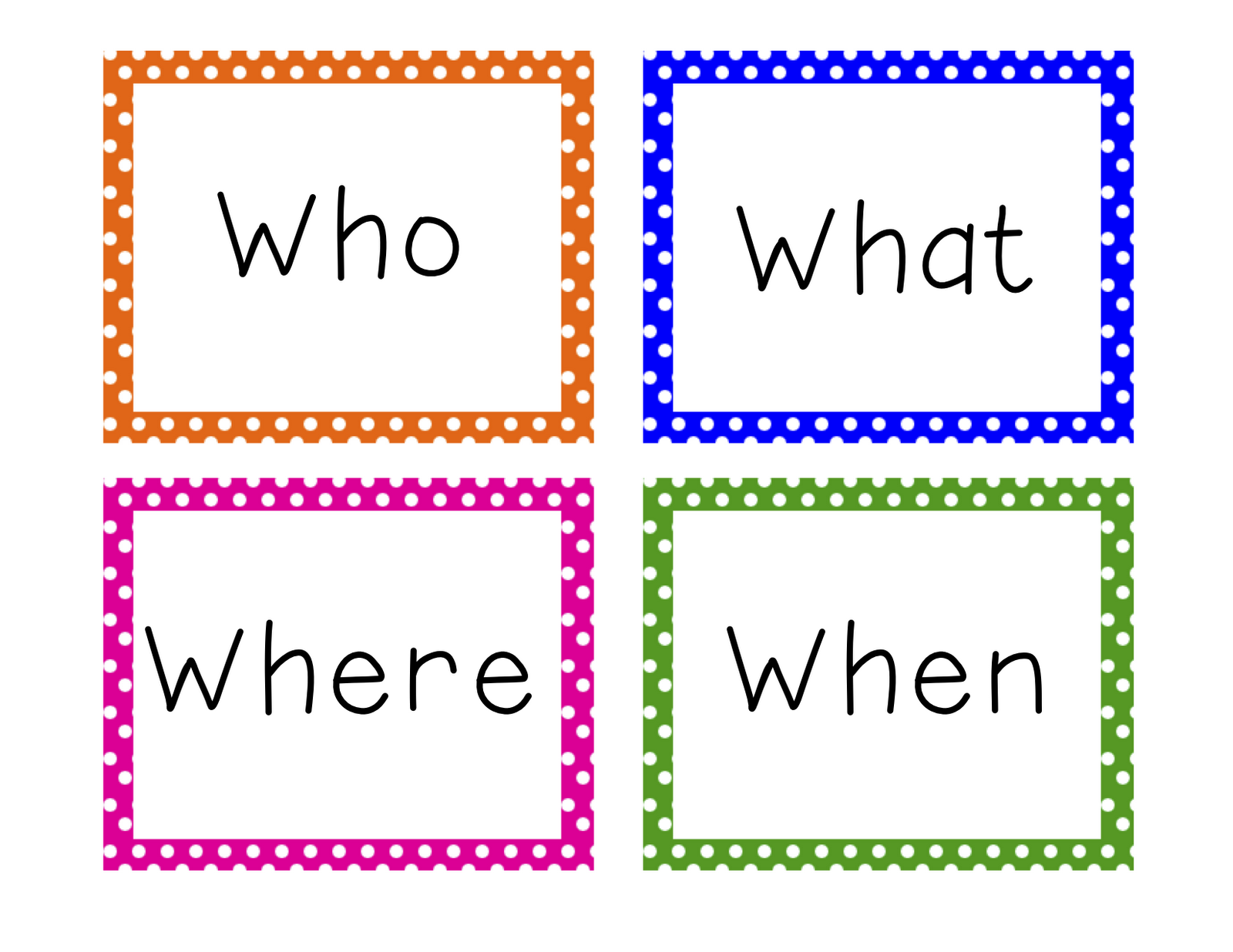
 For this first introduction, we mostly focused on factual and opinion questions. We looked at different question words that can start a sentence; who, what, where, when, why, how, do, did, does, can, may, are, etc. Click here for my question word cards. Students practiced asking each other questions and forming answers for those questions. We also worked on follow-up questions if we want even more information. We looked at different ending marks used for question and statement sentences.
Up next: Technoloy Week - I will be using computers in my lessons all week next week. Stay tuned for cool tech tool links!
This week, I introduced the third and final (as of right now :P) structured student response: question. By far, this response was the most challenging for students. Students are very often brimming with questions, but when requesting questions about a certain topic or about what we just heard, students were not sure where to start. I am going to reteach this student response and give students more practice with it next week. The whole point of question is to get students to think about where their prior knowledge and experiences END. We have finite knowledge and question helps us to find out more.
Question - I want to know more.
Up next: Technoloy Week - I will be using computers in my lessons all week next week. Stay tuned for cool tech tool links!
Monday, September 24, 2012
Second Type of Student Response: Connect
Doesn't it just feel so great when you plan a lesson and it goes smoothly, the kids have a good time and, are enjoying the process of learning?! I love it when that happens! My students did such an amazing job this week! We deepened and extended our ability to listen to and repeat sentences. I felt they were ready for the second type of structured student response: connect.
 Connect - That reminds me of ...
Use your pointer fingers and thumbs to make circles. Open one circle and put it around the other circle. Close fingers to make two loops like a chain link.
Connect is all about prior knowledge. I am using the quote, "That reminds me of..." on the poster. Students come to us with so much knowledge already in their brains. Why not use that knowledge and build upon that foundation with new knowledge. It takes me all the way back to Ed Psych, my favorite undergraduate class. The official term for using background knowledge is scaffolding. It is much harder to teach a concept if we start from scratch without any experience on that topic. Using what students already know to enhance learning makes it relatable and meaningful. For my purposes as a language learning teacher, when students share their previous knowledge it gives me a glimpse of their experiences and where gaps exist in their vocabulary and language development. They may have experience with an idea but are lacking the language skills to convey that idea to the group. Our small group meetings are designed to give students the opportunity to practice their language skills in a low-stress and encouraging environment.
To introduce connect this past week, I had a variety of picture cards. For this introductory activity I wanted students to just share what the picture made them think about. If we had a picture of a pillow, students would say that it made them think about sleeping, their bed, or being comfortable. Those are great connections. The picture did not show a bed or someone sleeping, but the students already had experience with pillows and what they are used for. I plan to extend connect past just recalling previous knowledge or experiences. When we connect to texts we use TTS (text to self), TTT (text to text), and TTW (text to world). I want to use connect as a language development tool and as a structured student response to encourage listening and speaking about our own ideas and the ideas of others. We just touched on this skill this week and will be practicing more in the coming weeks. Click here for the poster on TpT. Stay tuned for next week's new skill: Question.
Thursday, September 13, 2012
First Type of Student Response: Repeat
This week I started my full pull-out schedule. It was great to meet all my kiddos! I definitely have some fun characters in this bunch. What I find to be the most challenging so far is switching gears for each grade level. At one point during each day I am going from Kindergarten then to Fifth Grade. As you may know, those two grade levels are quite different! At least it keeps things interesting and is stretching me to be flexible!
This week I introduced the first of three structured student responses. During group time, we practice listening and speaking A LOT. We then practice writing down our ideas, reading and re-reading our own writing, and reading the writing of others. We talk a lot about what a good speaker sounds like and what a good listener looks like. To encourage students to listen to each other I devised three simple structured student responses. I originally saw these being used by my friend, Katie Evans, when she was teaching Kindergarten. I tweaked them a bit for my own uses and so far they have worked wonderfully! I will also be linking the posters to go with the responses. Here is the first one:
Repeat - Say what I say.
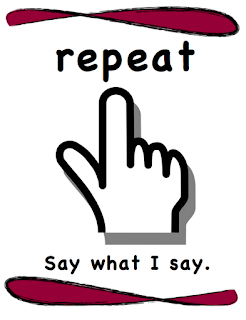 Hold up pointer finger to repeat.
Students will repeat what they heard. It could be a word, a sentence, or an idea. This helps to practice listening for details and then using language to share what you heard. This is the most basic form of response, just a copy of what was heard. It is a great place to start. When the speaker is finished sharing, they will pick a friend to "REPEAT." The speaker continues to pick friends to "REPEAT." When everyone has had a turn, the speaker's turn is over and they pick a new friend to be the speaker. It was great to hear Kindergarteners repeat details from their friend's writing. The 3rd graders loved to be the one in charge of picking students to "REPEAT." They ran the discussion and you could tell that they were looking for friends who were really paying attention. This is my very first upload to Teachers Pay Teachers! Check it out here or click the title for the Google Doc.
I will be introducing the next structured student response next week: Connect. Stay tuned here and at Teachers Pay Teachers for more!
This week I introduced the first of three structured student responses. During group time, we practice listening and speaking A LOT. We then practice writing down our ideas, reading and re-reading our own writing, and reading the writing of others. We talk a lot about what a good speaker sounds like and what a good listener looks like. To encourage students to listen to each other I devised three simple structured student responses. I originally saw these being used by my friend, Katie Evans, when she was teaching Kindergarten. I tweaked them a bit for my own uses and so far they have worked wonderfully! I will also be linking the posters to go with the responses. Here is the first one:
Repeat - Say what I say.

Students will repeat what they heard. It could be a word, a sentence, or an idea. This helps to practice listening for details and then using language to share what you heard. This is the most basic form of response, just a copy of what was heard. It is a great place to start. When the speaker is finished sharing, they will pick a friend to "REPEAT." The speaker continues to pick friends to "REPEAT." When everyone has had a turn, the speaker's turn is over and they pick a new friend to be the speaker. It was great to hear Kindergarteners repeat details from their friend's writing. The 3rd graders loved to be the one in charge of picking students to "REPEAT." They ran the discussion and you could tell that they were looking for friends who were really paying attention. This is my very first upload to Teachers Pay Teachers! Check it out here or click the title for the Google Doc.
I will be introducing the next structured student response next week: Connect. Stay tuned here and at Teachers Pay Teachers for more!
Friday, August 24, 2012
First Week!
What an amazing first week! The staff, parents, and students at Parkside are awesome! I am so glad I have the opportunity to be a part of this community. Monday night we had our Open House. We are estimating that over 85% of families came to meet teachers and tour the school. What a great turnout!
The rest of my week has been filled with lots and lots of paperwork. I learned that ENL is part of Title III under the No Child Left Behind Act. There are a lot of federal and state regulations I have to follow in order to be in compliance. I compiled my master list of students who will be receiving services under ENL. Now I am working on scheduling pull-out times with teachers. I am looking forward to when all this busy work is finished and I can start teaching! I have a lot of cool ideas to use in the classroom to help my students become fluent English speakers, listeners, readers, and writers. I can't wait!
The rest of my week has been filled with lots and lots of paperwork. I learned that ENL is part of Title III under the No Child Left Behind Act. There are a lot of federal and state regulations I have to follow in order to be in compliance. I compiled my master list of students who will be receiving services under ENL. Now I am working on scheduling pull-out times with teachers. I am looking forward to when all this busy work is finished and I can start teaching! I have a lot of cool ideas to use in the classroom to help my students become fluent English speakers, listeners, readers, and writers. I can't wait!
Subscribe to:
Posts (Atom)